
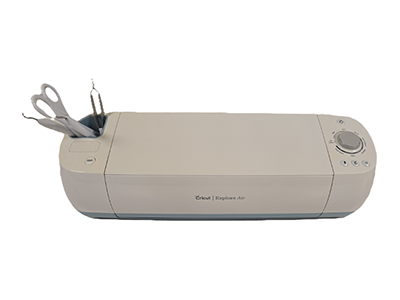
A Cricut Explore Air 2 is available for public use. Patrons must complete a one-time training with a librarian in order to use this piece of equipment. If you are interested in scheduling a one-on-one training, please contact Jamie Hernandez at (920) 545-2326 or jhernandez@watertownpubliclibrary.org
Those using the Cricut must bring their own consumable material (vinyl, paper, cardstock, etc.). The library provides standard cutting mats, a fine point blade and other tools. If another type of mat or blade is needed, the patron is responsible for bringing them.
Please note: Staff assistance is not generally available after the initial training.
A Makerspace reservation must be placed in order to use the Cricut. (Reserve the Makerspace button that links to the room reservation page filtered to Makerspace should go here)
NOTE: can format similarly to a page, but just need some copy about materials, restrictions, available assistance (or lack thereof), etc.